

WordPress, the world’s most popular content management system (CMS), powers over 43% of all websites globally. This versatile platform enables users to create and manage websites without requiring extensive technical expertise. Whether you aim to build a personal blog, an e-commerce platform, or a business portfolio, WordPress provides the tools and flexibility to bring your vision to life.
Building a WordPress website has never been easier, yet it remains a powerful tool for creating everything from personal blogs to robust e-commerce platforms. This ultimate guide will take you step-by-step through the process of building a WordPress website in 2025, whether you’re a beginner or an experienced user looking for a refresher.
Define Your Website’s Purpose
The first step in building a successful website is to define its purpose. A clear objective will guide every decision you make, from design and layout to content and functionality. For example, personal blogs focus on storytelling or sharing expertise, while business websites aim to attract clients and generate leads. Creative portfolios are designed to showcase work, e-commerce sites facilitate online sales, and nonprofit websites engage communities or solicit donations.
To start, identify your target audience and determine what they will expect from your site. Once you’ve established the purpose, prepare key elements, including your domain name, logo, branding guidelines, and essential pages such as a Home page, About page, and Services or Products page. This foundational planning ensures your site meets both your needs and your audience’s expectations.

Gathering Key Requirements for Your WordPress Website:
As discussed earlier, once you’ve established the overall purpose of your website, the next step is to gather key requirements to ensure that your site is built to meet your goals. This includes defining specific elements such as your website name, logo, and copy. Here’s what you’ll need to consider:
- Website Name and Domain: The name of your website is integral to your brand identity. It should reflect your business, service, or personal brand clearly and be easy to remember.
- Logo and Branding: Your logo is the visual centerpiece of your website. It should reflect your brand’s identity and communicate the values and message you want to convey. Make sure your logo is versatile enough to be used across various devices and platforms. Additionally, think about your brand’s color palette, typography, and any imagery you’ll use to maintain a cohesive design.
- Website Copy: Content is key to engaging visitors and achieving your website’s goals. From homepage headlines to product descriptions and blog posts, your copy should align with your website’s purpose and speak directly to your target audience. Writing clear, concise, and compelling content is essential for keeping visitors engaged and guiding them through the desired actions (e.g., making a purchase, signing up for a newsletter).
- Content Structure: Think about how you want to organise your content. What pages do you need? At a minimum, most websites should include a Home page, About page, Services/Products page, and Contact page. If you’re building a blog, consider how categories and tags will organise your posts. For e-commerce sites, think about product categories, checkout processes, and shipping information.
These requirements help you create a clear blueprint for your website’s design and functionality. By defining what you need upfront, you’ll be able to build a more streamlined, focused website that aligns with your goals and meets the needs of your audience.
Choose the Right Hosting Provider and Register Your Domain
Your website needs two essential components to exist online: hosting and a domain name. Hosting refers to the service that stores your site’s files on a server, making them accessible via the internet. A domain name is your site’s address, such as www.yoursite.com, that visitors use to find you.
Many hosting providers, including Bluehost, SiteGround, and WP Engine, bundle domain registration with hosting plans. This simplifies the setup process and ensures both services are integrated seamlessly. Start by selecting a hosting plan that suits your site’s expected traffic and functionality. During signup, register your desired domain name and follow the hosting provider’s instructions to link it to your account. A reliable hosting provider ensures your site loads quickly, remains secure, and handles traffic effectively.
Pro Tip: When choosing a domain name, it’s important to register it for multiple years if possible. This helps prevent the risk of losing the domain if you forget to renew it later.
To read more about hosting and domain names, check out these articles:
Install WordPress and Choose a Theme and Customise
After securing hosting and registering your domain, it’s time to install WordPress. Most hosting providers offer a one-click installation process, streamlining setup. Once installed, log into your WordPress dashboard to start building your site.
Next step is choosing your preferred theme. Choosing the right theme is a crucial step, as it determines your website’s appearance and user experience. WordPress offers thousands of free themes in its directory, while premium options from platforms like ThemeForest or Elegant Themes provide advanced features and customisation. When selecting a theme, prioritise responsive design to ensure compatibility with all devices, user-friendly customisation options, and SEO optimisation. Install your chosen theme through Appearance > Themes > Add New and activate it to apply its design to your site.
With WordPress Customiser (Appearance > Customise), you can tailor your site’s look and feel to match your branding. Start by uploading your logo, setting your site’s title and tagline, and choosing colors and fonts that reflect your brand identity. Adjust layout options, such as navigation menus, headers, and footers, to create a seamless user experience. You can also add widgets, like recent posts, social media links, or contact forms, to enhance functionality. Use the live preview feature to see changes in real-time before publishing your customised design.
Install Essential Plugins
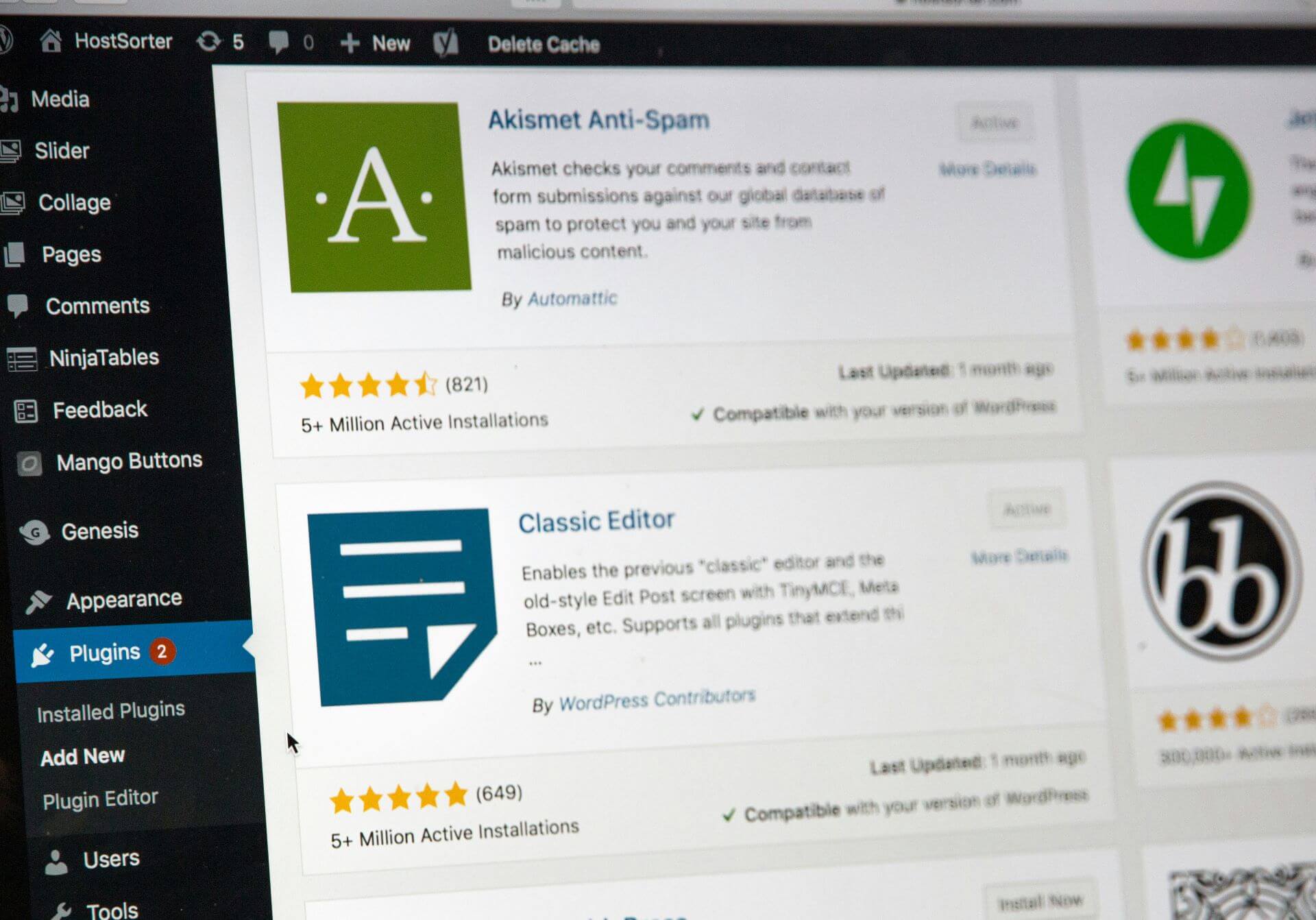
Plugins are one of the most powerful features of WordPress, allowing you to add extra functionality to your site with just a few clicks. WordPress has over 58,000 plugins available, covering everything from SEO optimisation to e-commerce solutions. Choosing the right plugins for your website is crucial for ensuring your site works smoothly and delivers the best possible experience for your visitors.
Here are some essential plugins that every WordPress website should consider installing:
- SEO Plugins: Optimise your site’s visibility on search engines with tools like Yoast SEO or Rank Math.
- Caching Plugins: Improve loading speed with WP Rocket or W3 Total Cache.
- Security Plugins: Protect against threats with Wordfence or iThemes Security.
- Backup Plugins: Schedule regular backups using UpdraftPlus.
- Form Builders: Create interactive forms with WPForms.
- E-commerce Tools: WooCommerce is indispensable for online stores.
Install plugins through Plugins > Add New, search for the desired plugin, and activate it to enable its features. Avoid overloading your site with unnecessary plugins, as this can slow performance.
Create your Pages, add Content and Configure your Site Settings
Now that your site is installed, customised, and optimised with essential plugins, it’s time to start adding content. Content is the backbone of your website; it’s what will engage your visitors and drive traffic to your site. This section covers how to add content to your WordPress site, focusing on essential pages, blog posts, and multimedia elements.
Pages are static pieces of content that are usually found in the main navigation of your website. These are typically used for essential business information or content that doesn’t change frequently. Common pages include:
- Home Page: Provide a concise overview of your site with clear calls-to-action.
- About Page: Share your story, mission, and values to connect with visitors.
- Services/Products Page: Detail your offerings with descriptions and high-quality visuals.
- Contact Page: Include a contact form, email address, and social media links for easy communication.
If you plan to include a blog, publish keyword-optimised posts to attract traffic and improve SEO. Enhance your content with images, videos, and infographics to maintain visual interest and convey information effectively. Use the WordPress block editor to structure pages and posts for readability and engagement.
Fine-tune your website’s settings to ensure it functions smoothly. Under Settings > General, set your site title, tagline, and timezone. Adjust reading settings to specify whether your homepage displays a static page or your latest posts. Use Settings > Permalinks to configure clean, SEO-friendly URLs, such as www.yoursite.com/post-title, which improve navigation and search rankings.
Test and Launch Your Site
Before going live, thoroughly test your website to ensure it meets user expectations. Check that your site is mobile-friendly using tools like Google’s Mobile-Friendly Test. Evaluate loading speeds with services like GTmetrix and resolve any issues that may slow performance. Test all links, forms, and interactive features to confirm they work correctly.
Perform an SEO audit to verify that all pages have meta descriptions, alt text for images, and properly structured content. Once satisfied with your site’s functionality and performance, launch it by promoting it through email campaigns, social media, and other marketing channels. Announce the launch to generate excitement and attract visitors.
Maintain and Optimise Your Site
Building your WordPress website is just the beginning. To ensure it runs smoothly and remains relevant, you need to maintain and optimise it regularly. Here are key tasks to keep in mind:
Regular Backups: Set up automatic backups of your site to avoid data loss in case of technical issues or hacking attempts. Use backup plugins like UpdraftPlus or BackupBuddy for hassle-free backups.
Update Themes, Plugins, and WordPress Core: Keeping WordPress, your theme, and plugins up to date is essential for site security and performance. Enable automatic updates when possible, but always check after updates to make sure everything is functioning correctly.
Monitor Site Speed: Regularly check your site’s speed using tools like Google PageSpeed Insights or GTmetrix. Make adjustments as needed to ensure fast loading times, such as optimising images or using a content delivery network (CDN).
SEO and Content Updates: Regularly update your site with fresh content and optimise old blog posts for SEO. Adding new content regularly not only keeps your visitors engaged but also helps with search engine rankings.
Security Checks: Run regular security scans and keep an eye on your site’s activity. Install a security plugin like Wordfence or Sucuri Security to monitor for potential threats.
Conclusion
Creating a WordPress website may seem daunting, but by following these steps, you can build a site that reflects your vision and meets your needs. Whether it’s a blog, portfolio, or e-commerce platform, WordPress offers endless possibilities.
If you’re looking for expert guidance, Ridgetek is here to help. We have extensive experience building websites for diverse businesses, offering tailored web design, SEO and website maintenance services to ensure your online presence stands out. Reach out to us today and let us bring your ideas to life!